CHECK’D FOR APPLE WATCH
Your Checks.
On your wrist.
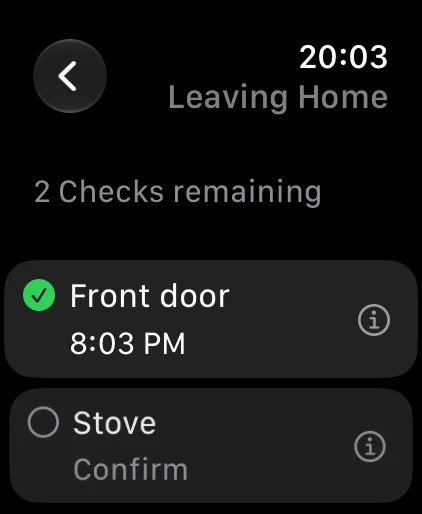
A short list, a confirmation, a time you can look back at.
Leave your iPhone in your pocket.
View your Moments, confirm Checks, see confirmation times and undo an accidental action on your paired Apple Watch. Open Check’d quickly with a complication or Smart Stack.
Get started
- Install Check’d on your iPhone running iOS 18 or later.
- Install its companion app on your paired Apple Watch running watchOS 10 or later.
- Open Check’d on both devices to synchronize your schedule.
- Make the physical check, then confirm it on your wrist.
What to expect
The Watch companion synchronizes with your iPhone. Offline actions require a valid schedule received earlier and may wait for connectivity. If a schedule is outdated or a conflict appears, reconnect and review the message. System background refresh may take time.
Photo attachments and location coordinates are not transferred to the Watch. Check’d records your actions; it does not sense a lock or appliance.